The Website Story
Read the narrative and scroll down for the case study
Where it began…
The development of this website began with a few important people. The first was my father (1943 – 2025), who helped me obtain the website domain, and the website hosting company, DreamHost. Next, my graduate professor who mentioned I should create a portfolio for future employment, and also my career advisor, who offered their creative vision by suggesting I write the “Website Story”. Finally, a valued colleague who assisted in making sure it was designed for the appropriate audience.
Once the accounts were settled, it was time to begin to build the first rendition. It took several months learning to wrangle WordPress. The first thing was selecting an appropriate theme that would allow me to design it how I wanted it to look. The original design concept began with accessibility in mind. Beginning with a colorblind safe color scheme, button page links to navigate to individual pages without using a drop-down menu, and keyboard navigability.
I went through various themes and design layouts with drag and drop template structures. Most appearing more blog like than website. Then, I discovered a theme. One called FotaWP, “a lightweight, block-based, multipurpose WordPress theme designed to be responsive, SEO-friendly, and optimized for speed. It seamlessly integrates with both Full Site Editing (FSE) and your favorite page builder.” It appeared, at first, to function the way I wanted. Of course, with every new theme I attempted, there would be a new learning curve; because there was some standard functionality, but each theme had their nuances with page layout and content production.
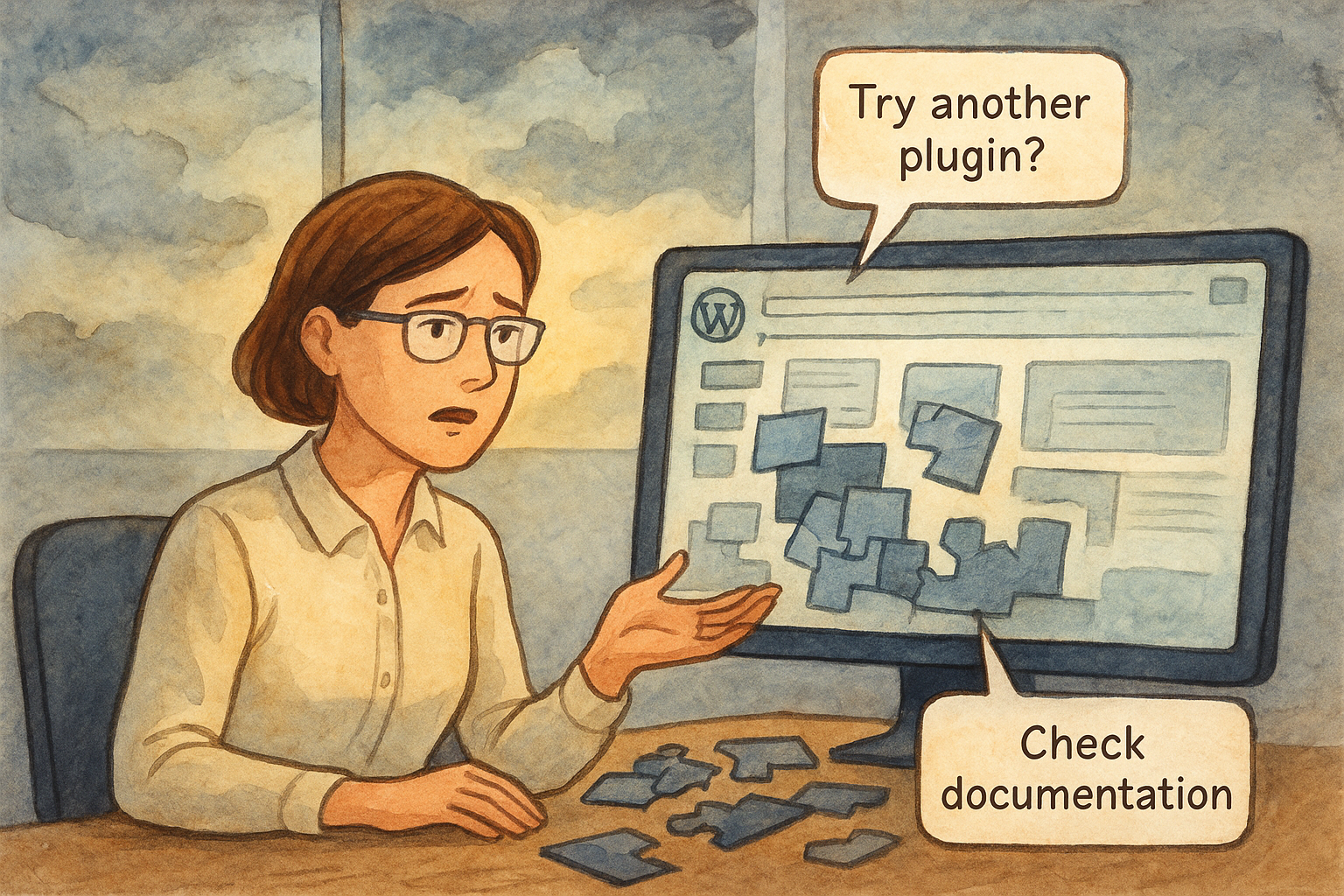
Overall, it worked well for roughly two years until a technical glitch occurred when I attempted to change the page menu layout from a drop-down to horizontal on the website page header. After attempting to make the changes, it became too difficult to continue altering. However, after further investigation, I realized the back-end design did not have the semantic structures I sought. Making it unsuitable for digital accessibility, or Assistive Technology users to view the content easily, even with the plugin accessibility features, it wasn’t enough to keep.
Two years later…
This website is entering a new iteration. The theme I wanted to select still required the FSE (Full site editing) along with accessibility, built-in back-end that didn’t present issues on the face by using Semantic HTML. Semantics, in the case of writing markup language or code, interprets the rules of expression for code generation, and governs the structure and meaning. I wanted to make sure site visitors had what they needed to meet their access needs.
When the original website broke down, I decided to focus on obtaining a theme that had both FSE (Full Site Editing) and was semantically structured. Going through the themes, many made promises, and failed to deliver. I often found myself questioning, “If I’m having difficulty attempting to build the website with this, how much more difficult will it be for viewers to use?”
I spent an excruciating amount of time navigating the theme selector, testing, and ultimately selecting a new theme called Bluehost Blueprint, a block-based, multipurpose, WordPress theme. “Compose your pages to fit any design you like with the power of Full Site Editing (FSE) and the included wide range of Block Patterns. The pre-built pages will help you populate and transform your website into a wonderful website. Customize colors and font pairings to create your own unique look and feel.” It, too, looked like it would provide what I needed, until it didn’t.
Bluehost is another website domain hosting company, and they designed a WordPress theme that is free for anyone to use. At first, it allowed me some of the same flexibility as the original, but it still had glitches I had no control over. After learning its landscape for a few days, it became terribly buggy to use. I had difficulty uploading and using typeface, that wouldn’t generate the way I required. This theme was more blog-focused, than website focused, and it had too many templates that didn’t appeal, or perform. It also didn’t behave like the Full Site Editing, I used in the original theme, but it did have the semantic structures allowing for keyboard navigability, and screen reader use among other digital accessibility structures at the back-end. What it didn’t provide is an easy build. Therefore, I returned to looking for another theme in the hopes to get one operating appropriately.
What happened next…
A new theme discovered: It really wasn’t much of a new theme, just one I overlooked. Instead of continuing to sort through the various developed themes built from authors outside the WordPress family, I went with a standard theme built by WordPress called, “Twenty Twenty-Four.” “It is designed to be flexible, versatile, and applicable to any website. Its collection of templates and patterns tailor to different needs, such as presenting a business, blogging and writing or showcasing work. Twenty Twenty-Four includes style and full-page design variations to help speed the building process. It is fully compatible with the site editor, and takes advantage of design tools introduced in earlier versions of WordPress.”
It seems to function better in some ways, and with the first page nearly complete, I’ve been able to test keyboard navigation, which seems to be working well. The typeface generation is also working well, but I’m having a few fit issues with the block structures. This time, instead of doing every single thing custom like I did in the first design, I’m actually using some block builder features that are native in the theme design. I have decided that to save some time in the rebuild process, it might be better to at least try.
Where it is now…
I have changed the layout color scheme a tad, but using similar color palettes from the original when I used the FotaWP theme.
It has taken quite some time to re-establish this website. There were many unforeseen issues, including typeface rendering properly, back-end build (the things under the hood) where one doesn’t always understand how things function. Two different machines completed the rebuild. One kept breaking down, but also kept the design fluid when it functioned. While the other ran the high-performing design applications, but for some reason couldn’t keep up with the aesthetics. Along with all the initial drags, snags, and minutia to get it here. All pages are finally built, and I hope they appear in your purview the way I see them. To solve these issues, it turned out to be a browser issue, seemingly a caching issue, where nuggets of information were stuck, and wouldn’t let anything penetrate making functionality difficult. To fix this sticky process, I ended up uninstalling and reinstalling the browser. The lengthy absence also included content placement, using code blocks written by AI, instead of native blocks that frequently malfunctioned. It appears to visually cohesive, now, but if something seems broken, don’t be afraid to inform me.